
Configure blocks through the web (TTW)#
This document describes how to configure blocks TTW (through the web) in a Plone site or subsite, including the full mutator DSL specification.
This feature relies on the kitconcept.blocks.config behavior. It is enabled by default on the Plone Site for the kitconcept intranet distribution, but you can also enable it on a subsite.
What can be configured#
Enabled blocks — disable blocks from appearing in the blocks chooser
Themes of a block — define available StyleWrapper themes
Enabled variations of a block — limit which variations editors can choose
These configurations are modeled through a mutator field in JSON format. The mutator definition is applied to the hardcoded blocks configuration, modifying default values with the instructions in the field.
Accessing the configuration field#
You find it in the Plone Site tab of the site or subsite settings, under the name Blocks configuration.
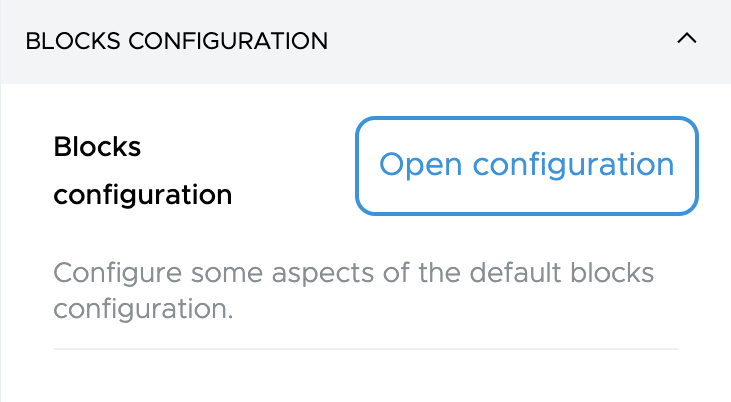
A modal will open with the mutator field, where you can define the configuration in JSON format.
The field validates JSON format, and will show an error if the format is invalid. All keys must use double quotes, and no trailing commas, as per the JSON standard.
The mutator field DSL#
The mutator field is stored in blocks_config_mutator on the kitconcept.blocks.config behavior.
TypeScript type definition#
export type MutatorDSL = Record<
  string,
  {
    disable?: boolean;
    variations?: string[];
    themes?: StyleDefinition[];
  }
>;
Where:
disable— Iftrue, the block is disabled and not available in the blocks chooser.variations— Array of variation IDs to enable. If omitted, all variations are enabled.themes— Array of style definitions for the block's themes. If omitted, default themes are used.
Full example#
{
  "teaser": {
    "disable": true,
    "variations": ["variation1", "variation2"],
    "themes": [
      {
        "style": {
          "--theme-color": "#fff",
          "--theme-high-contrast-color": "#ecebeb",
          "--theme-foreground-color": "#000",
          "--theme-low-contrast-foreground-color": "#555555"
        },
        "name": "default",
        "label": "Default"
      }
    ]
  },
  "gridBlock": {
    "variations": ["variationB"]
  },
  "description": {
    "disable": true
  }
}
This mutator will:
Disable the
teaserblock from the blocks chooser.Enable only
variation1andvariation2for theteaserblock.Define a custom theme for the
teaserblock with specific CSS properties.Enable only the
variationBvariation for thegridBlock.Disable the
descriptionblock from the blocks chooser.