Enable likes and ratings#
This guide shows you how to enable content likes, ratings, and the content interactions bar for pages in your intranet.
Prerequisites#
You have admin access to the Intranet Settings control panel.
The
kitconcept.intranet.votesbehavior must be enabled for the content type (contact your developer if unsure).
What this feature provides#
Once enabled, the following is displayed below each content item:
Likes: Users can like or unlike content. Requires
enable_content_ratingto be on globally andenable_likesto be set on the individual content item.Comments: Displays total comment count. Only shown when commenting is enabled.
Share: Provides email sharing options. Always shown.
Metadata: Shows creation and last modified dates. Always shown.
Steps#
1. Enable Rating Globally#
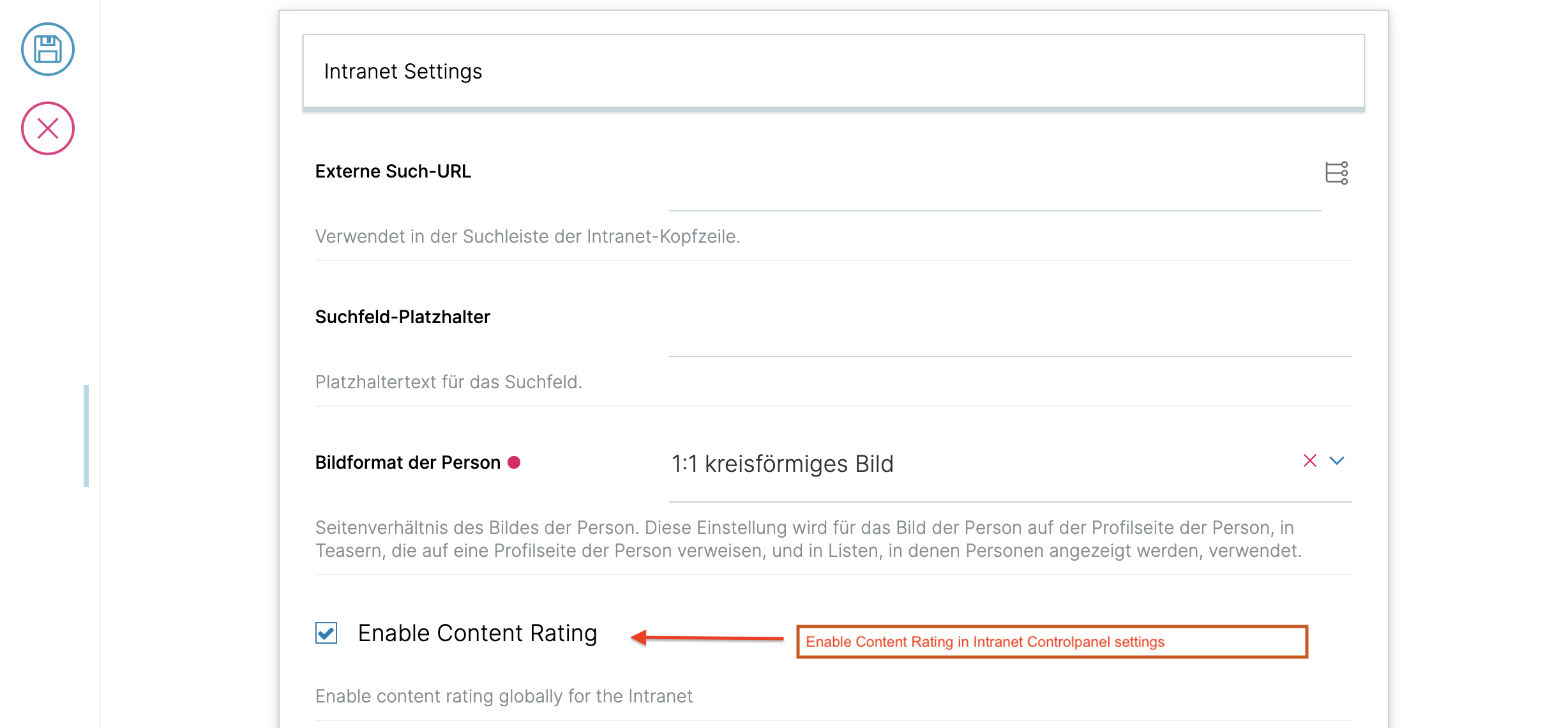
Go to the Intranet Settings control panel and enable the enable_content_rating setting.
2. Enable Rating on a Content Item#
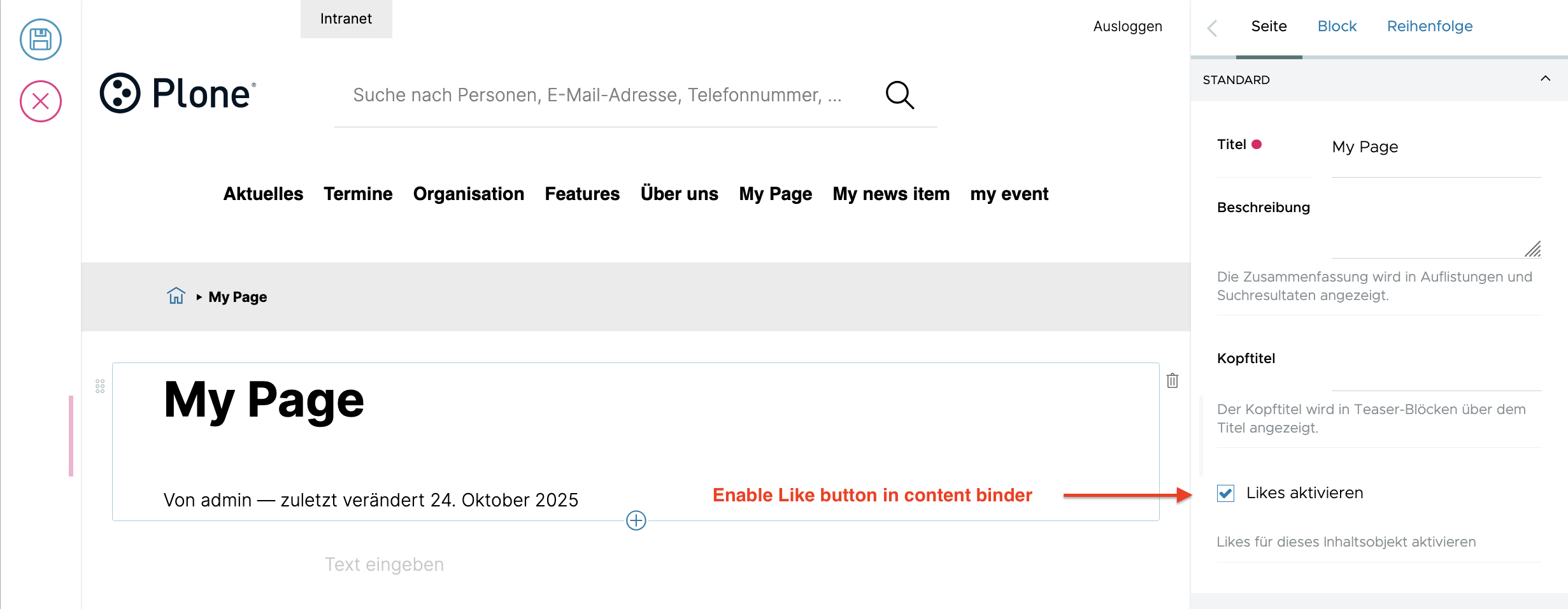
Open the content item you want to enable likes on, then enable the enable_likes field.
Verification#
After completing both steps, the likes button will appear below the content when viewed by logged-in users.